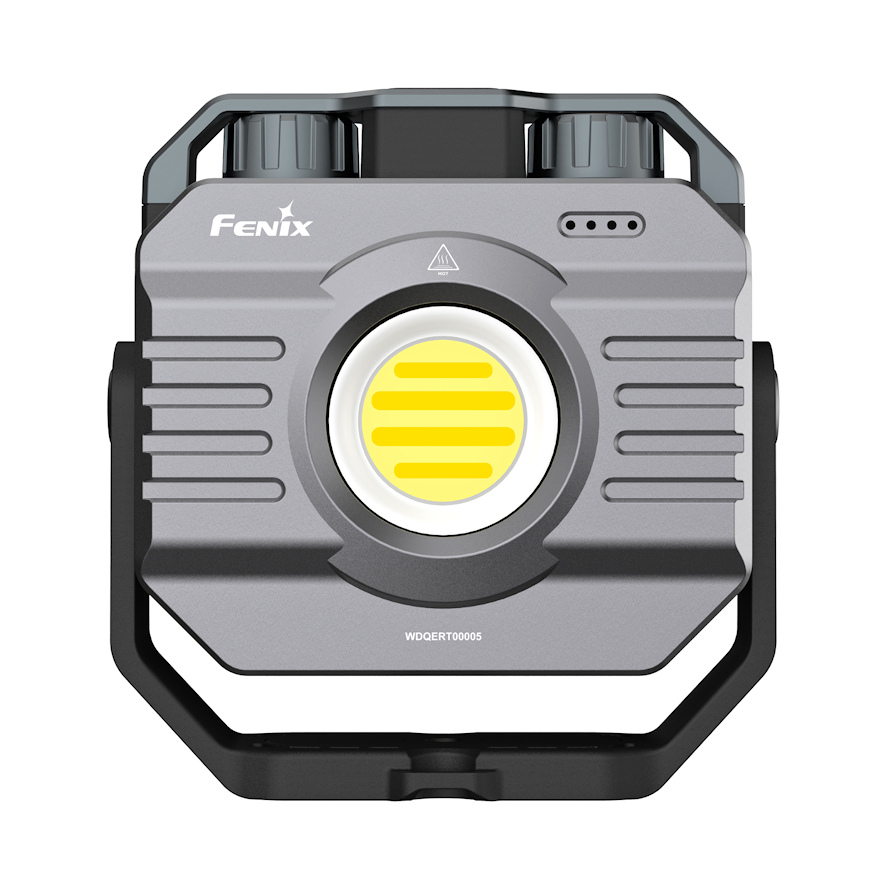
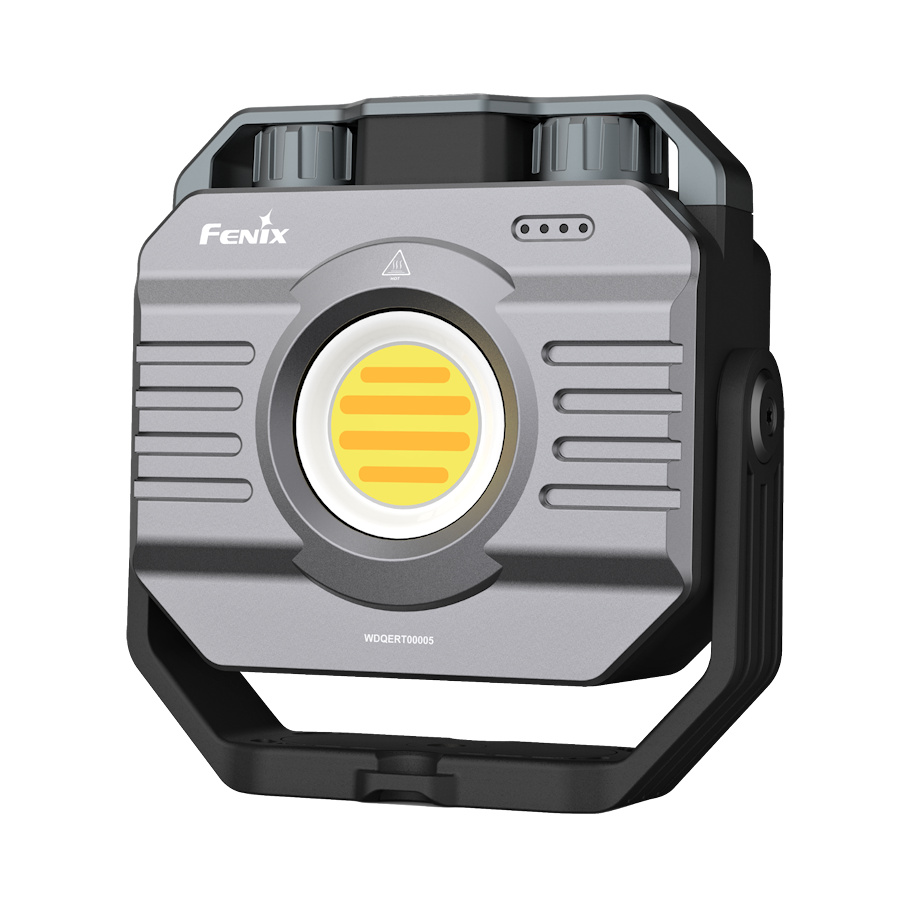
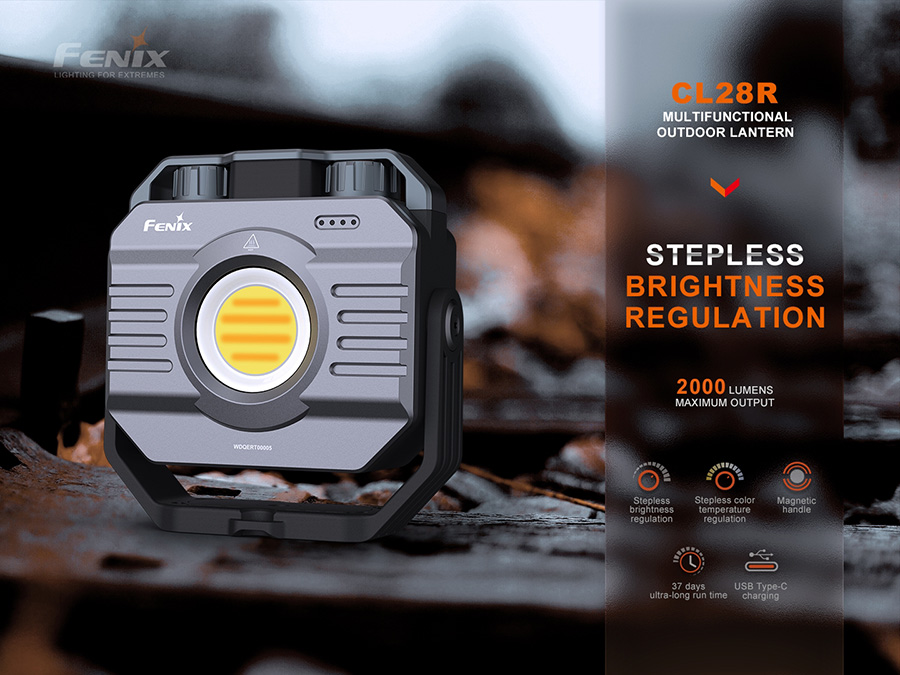
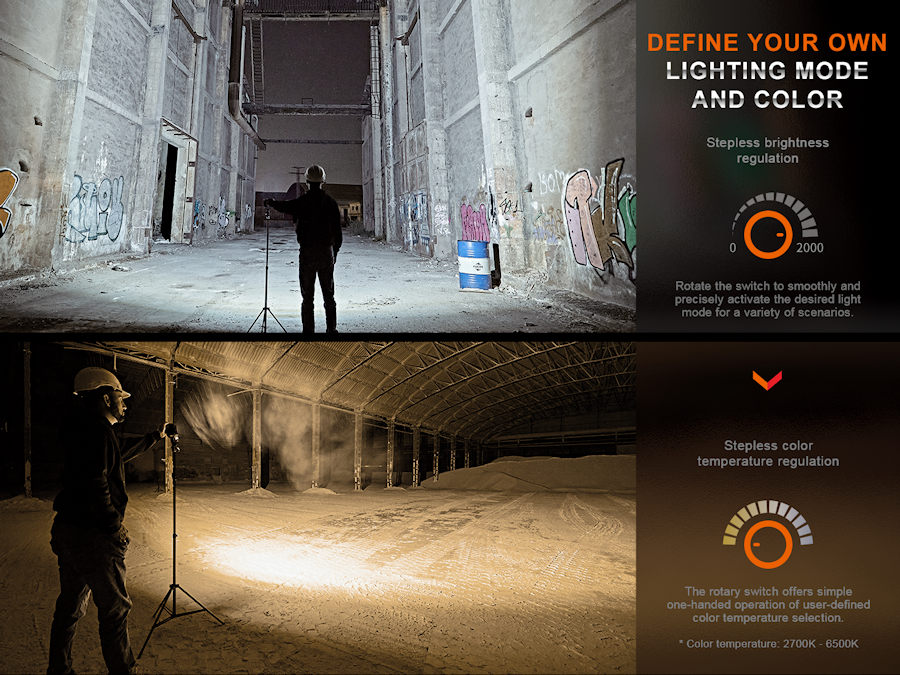
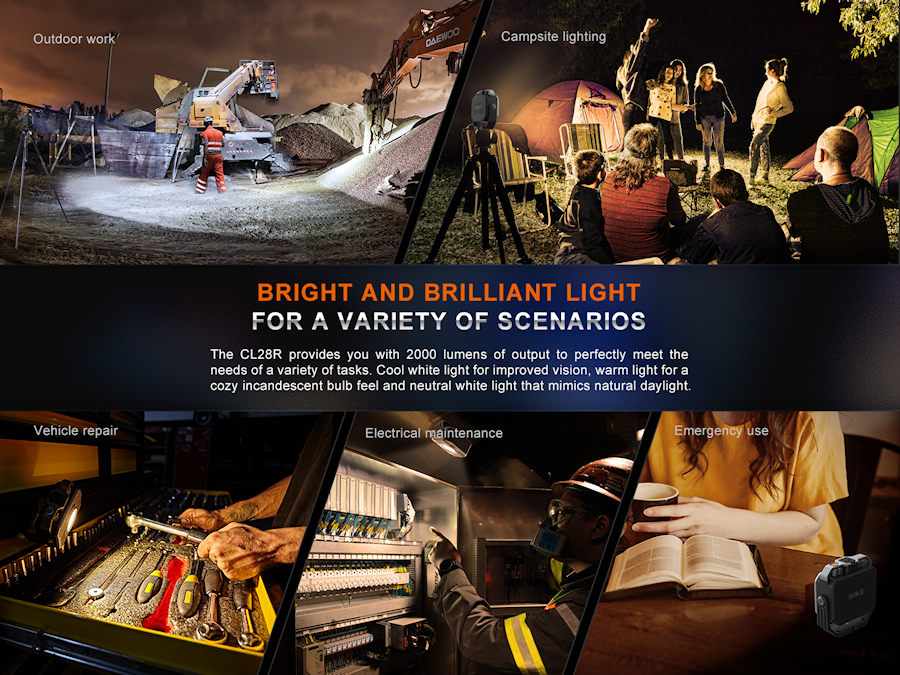
Fenix CL28R is a powerful, directional LED lantern that's built tough and ideal for industrial, car maintenance, camping and home use. Fully variable brightness and colour temperature give you complete control, whilst the 160 degree wide beam lights a large area.
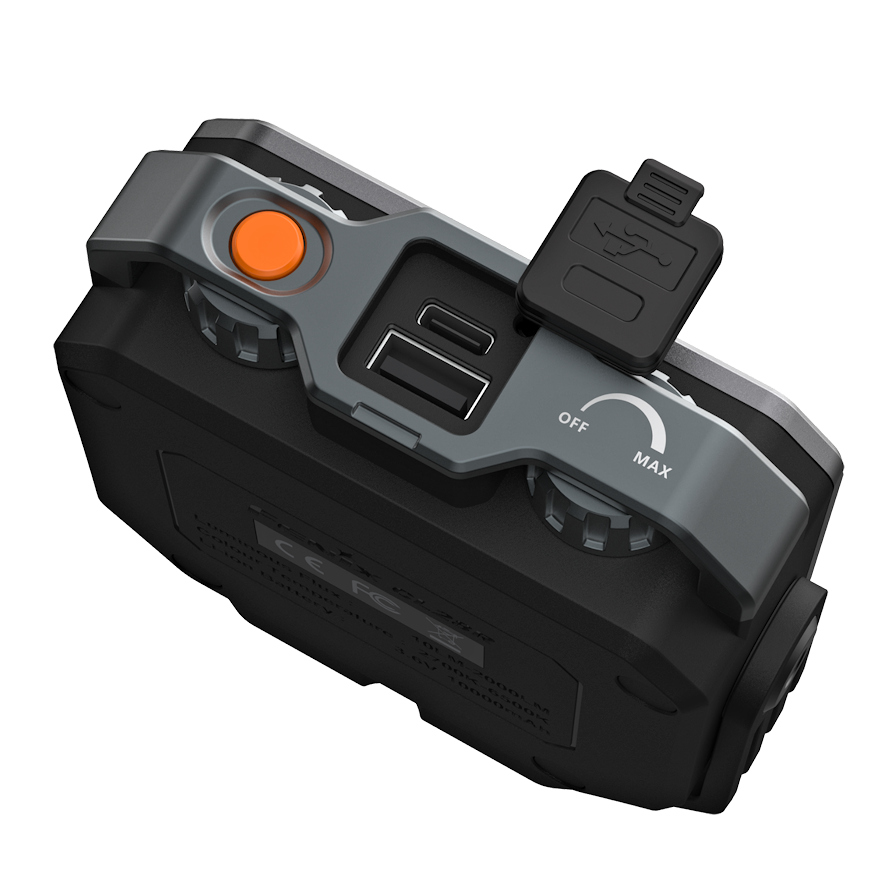
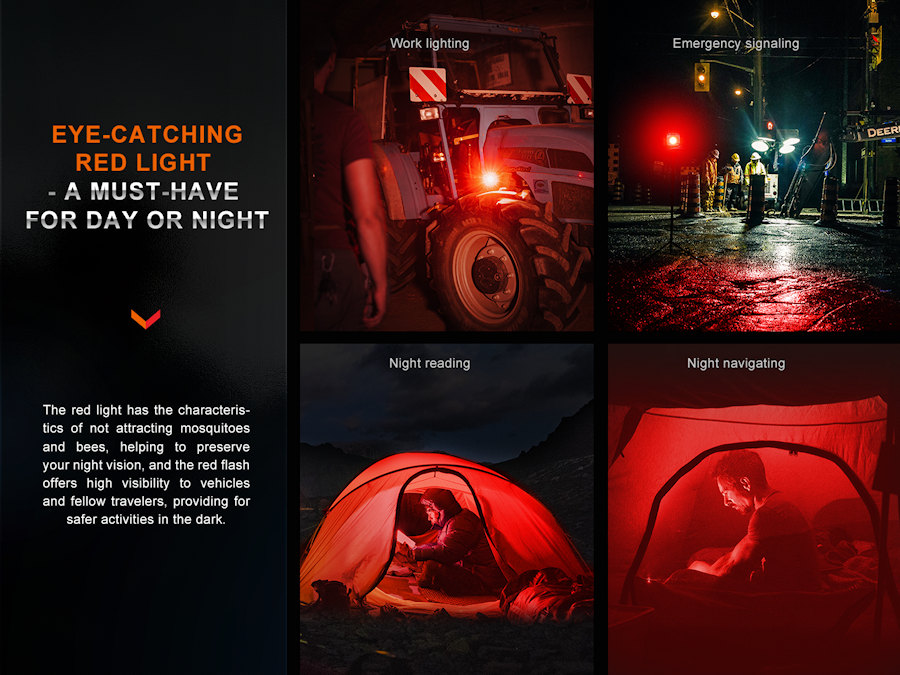
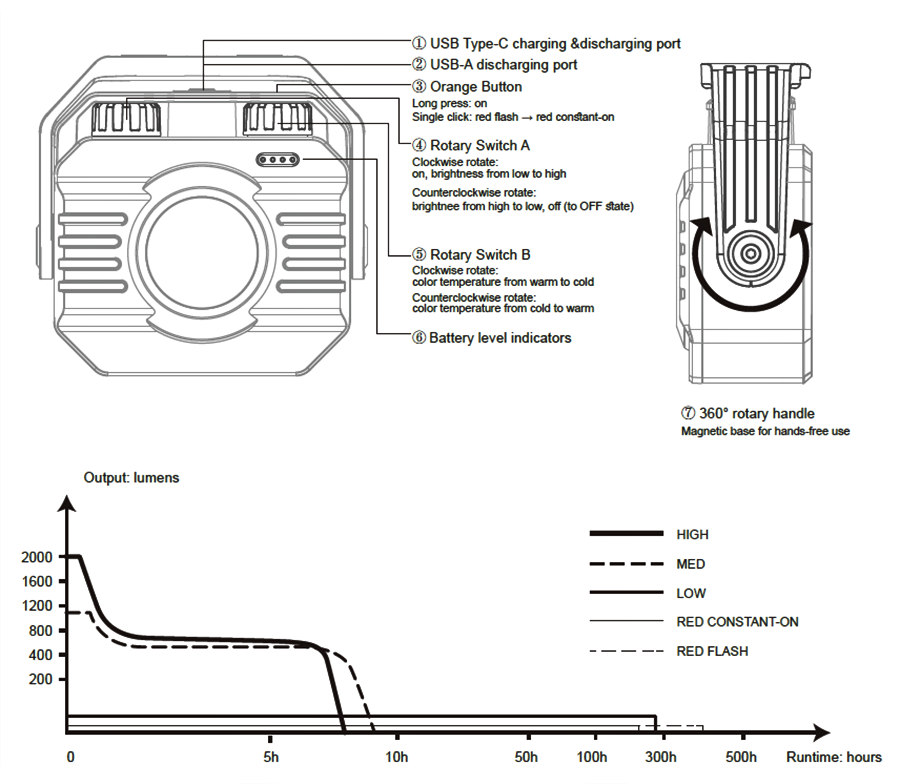
CL28R features 2 rotary dials, one for stepless brightness adjustment and one for stepless colour temperature adjustment. A push button mounted at the top of the colour temperature dial activates the secondary red light.
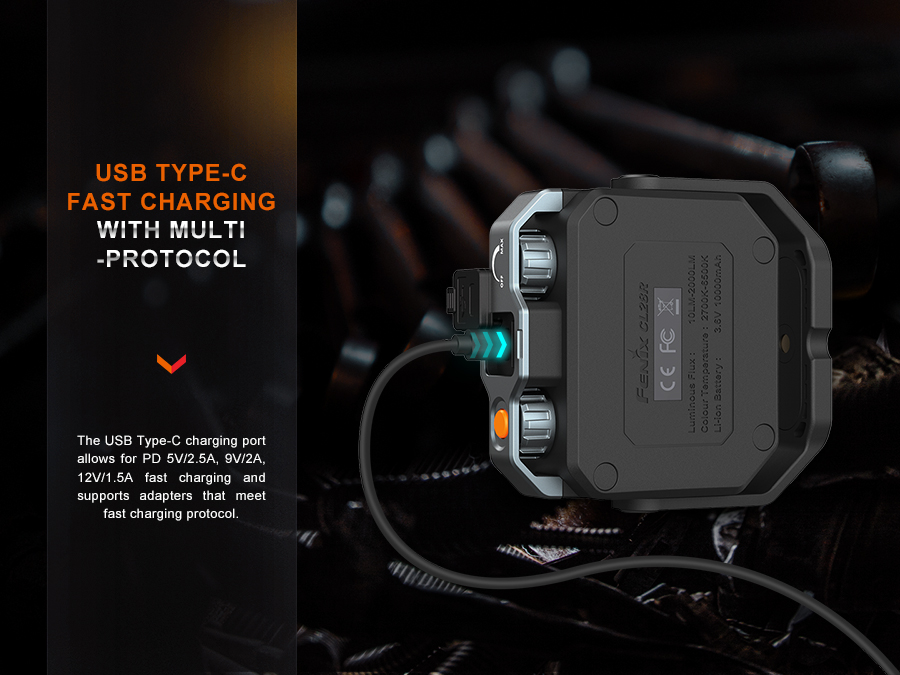
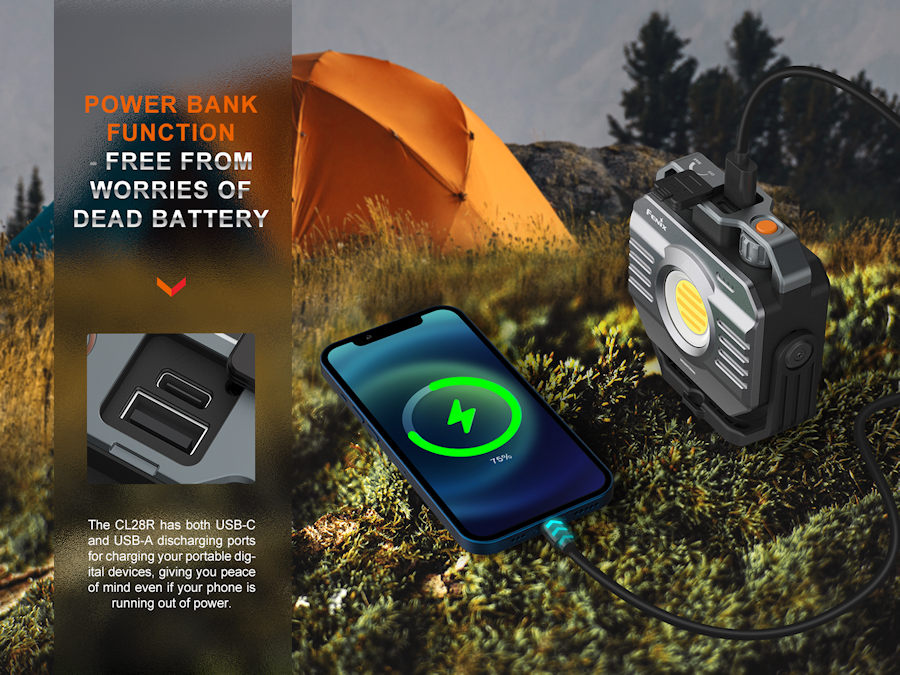
Between the rotary controls you'll find a standard USB socket and a USB-C socket. CL28R's USB-C socket can be used for charging the light and as a power bank output, whilst the standard USB-A socket functions as a power bank output.
CL28R performance:
With stepless brightness and colour temperature control, run times will vary widely according to output setting. Please refer to the run time graph below for performance at High - Mid and Low settings. Brightness will step down as per the graph to protect the light from over temperature and increase run time (measured to the ANSI standard)
Main beam: (2700K to 6000K colour temperature):
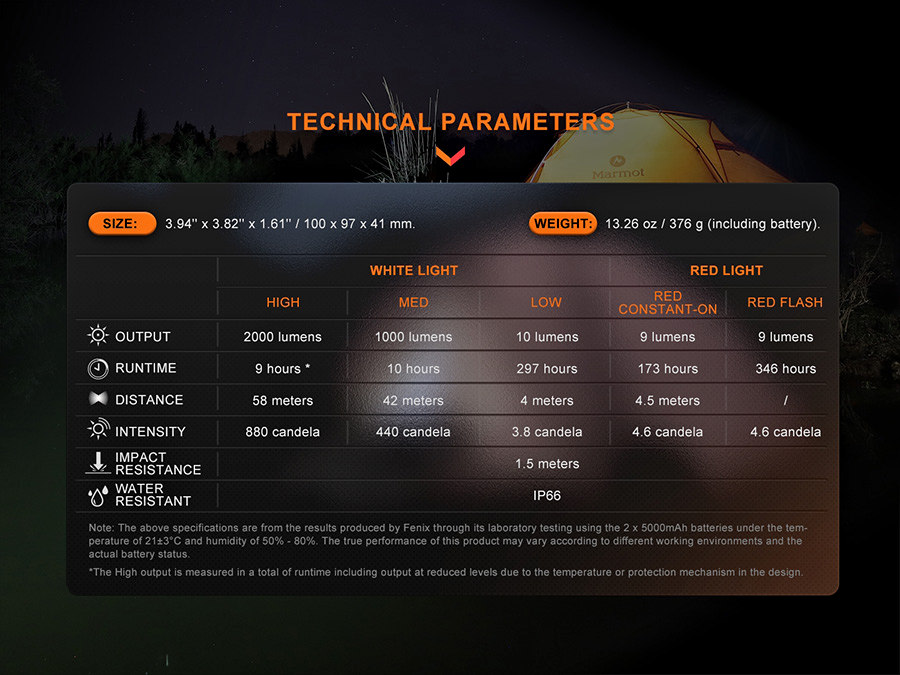
High: 2000 lumens (9 hrs continuous run time including step downs)- 58m beam
Mid: 1000 lumens (10 hrs continuous run time including step downs) - 42m beam
Low: 10 lumens (12 days continuous run time)- 4m beam
Red constant: 9 lumens (7 days continuous run time) - 4.5m beam
Red Flash: 9 lumens (14 days continuous run time)
Fenix CL28R features:
• Variable light output from 10 to 2000 lumens
• Stepless brightness adjustment
• Wide range colour temperature adjustment from cool to warm light
• 160 degree wide area beam angle
• 9 lumen red light
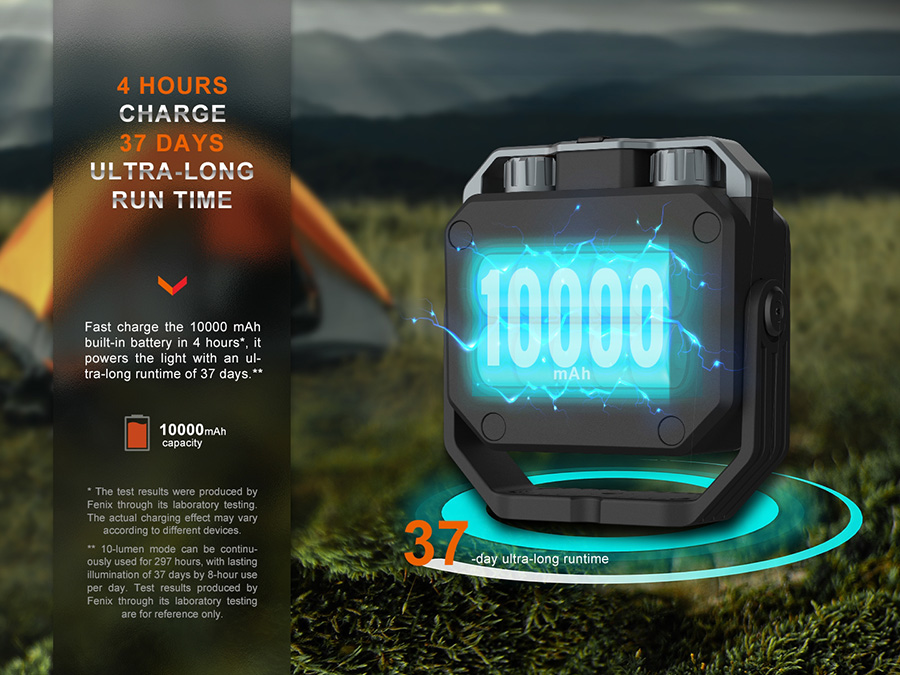
• 10,000 mAh large capacity battery
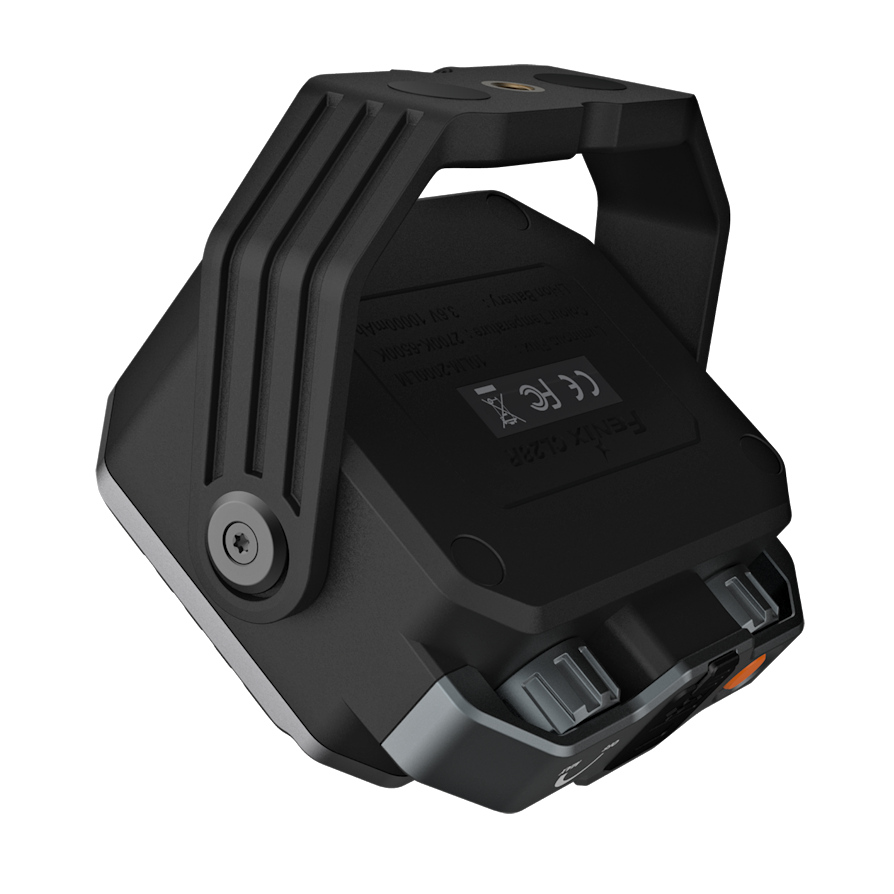
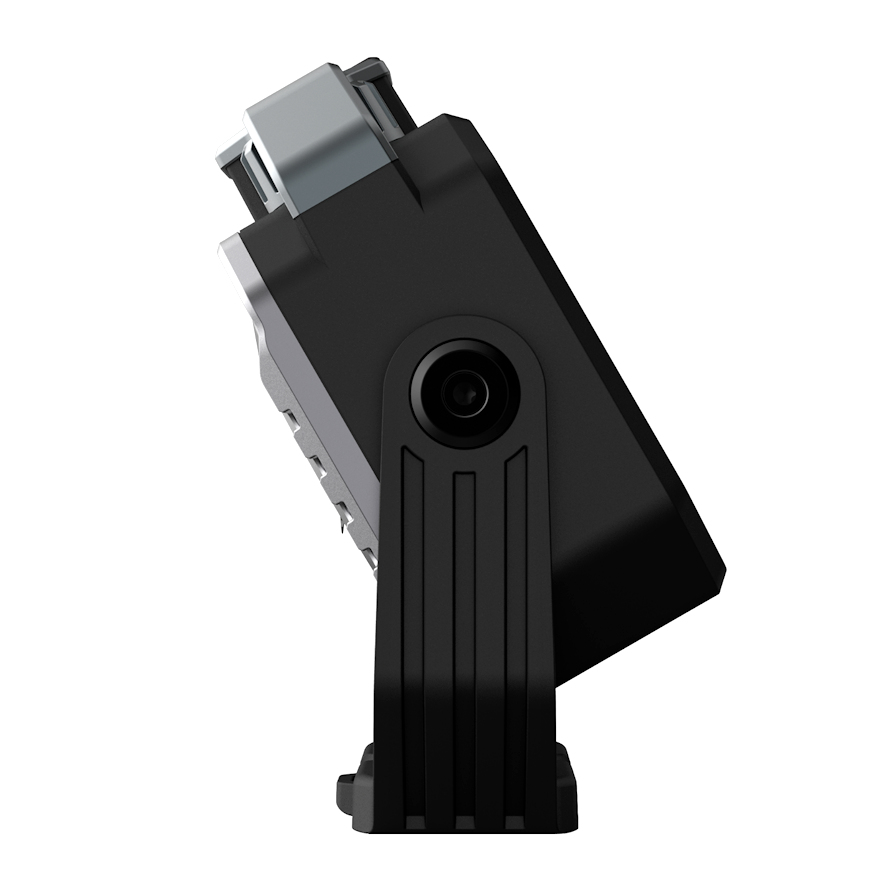
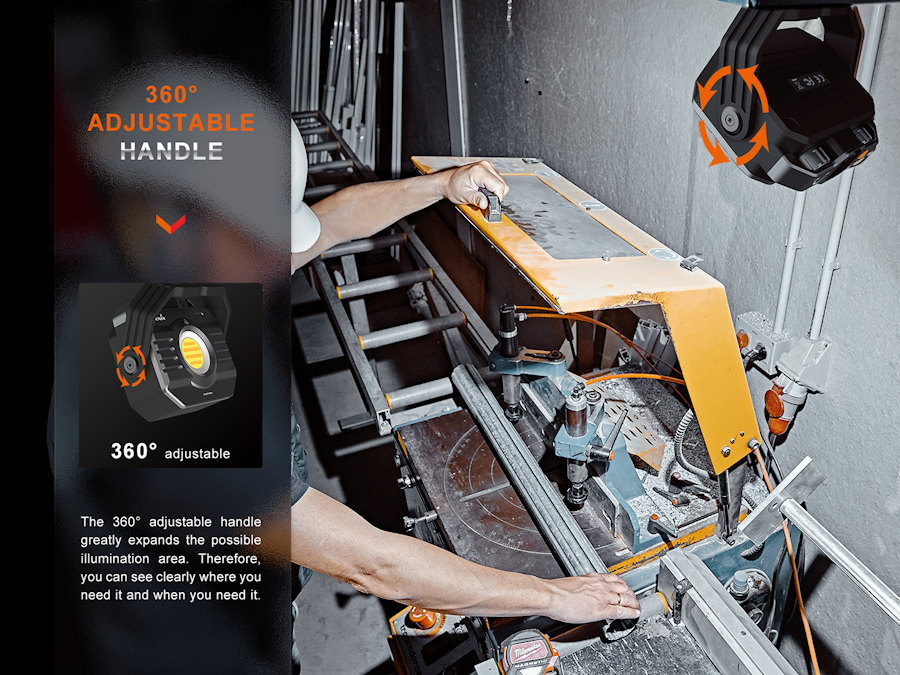
• Magnetic 360 degree swivel handle with tripod socket for convenient mounting
• Works as a power bank with output via USB-A or USB-C
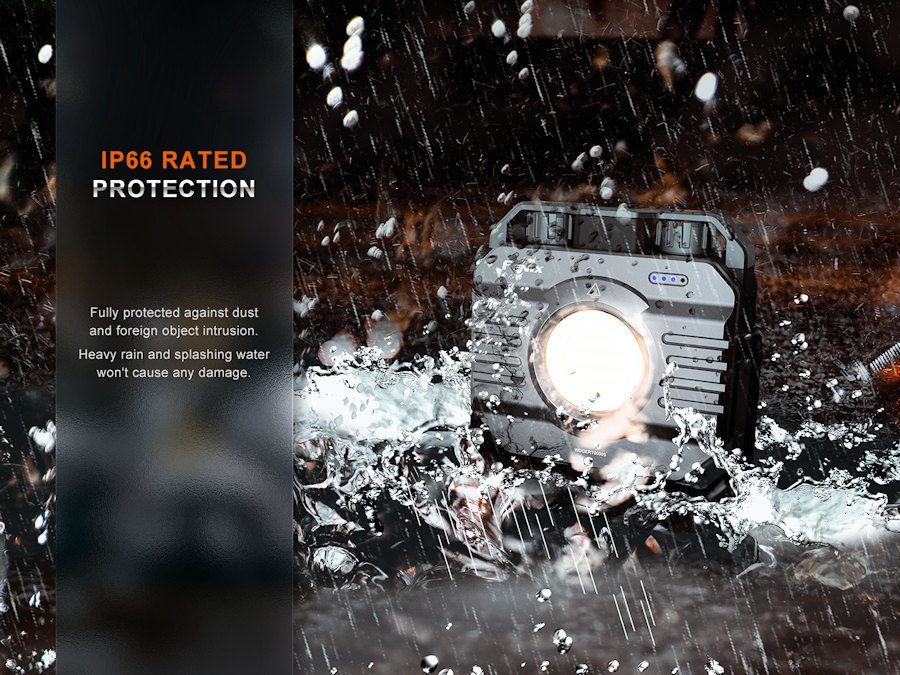
• IP66 rating, protected against heavy rain and splashes
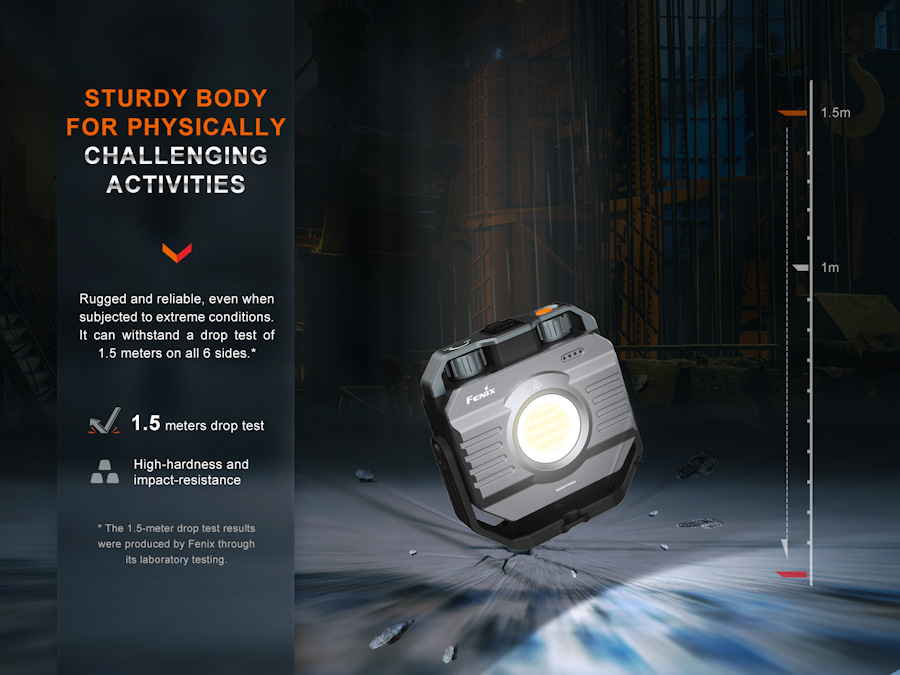
• 1.5m drop tested for durability
• 50,000 hours LED life
Charging:
• Charging cable supplied. A USB mobile phone charger or similar is required to charge this product.
• Plug the USB-A end of the supplied cable into the charger, then plug the USB-C end of the cable into the CL28R to begin charging.
• Charge status is indicated by the 4 lights on the front of the unit.
• The lantern can be used at lower levels while charging.
• Supports fast charging protocols: PD3.0/PD2.0, QC3.0/QC2.0.
Power bank function:
• The lantern stops discharging when the internal battery voltage reaches 2.9v to protect the batteries.
• The lantern can be operated whilst using the power bank function.
• Supports fast discharging protocols: PD3.0/PD2.0, QC3.0/QC2.0.
• Discharging performance: 5V/3A (max), 9V/2A (max), 12V/1.5A (max)
• The USB-A and USB-C ports cannot be used simultaneously.
• The 4 lights on the front of the unit will cycle from high to low to indicate discharging status
Fenix CL28R is a terrific work and leisure product. Built tough for daily use and handy for those unexpected lighting emergencies. Stand it on a shelf, fix it to a tripod or snap the magnetic handle to a steel surface and you're good to go.
Dual rotary switches for light output and colour temperature. Push button switch for red light
Construction
High quality aluminum and plastics
Tail Stand
Yes
Pocket Clip
No
Waterproofing
IP66, weatherproof and dustproof
Dimensions/Weight
100mm (Length) x 97mm (Height) x 41mm (Depth)
376 grams (including battery)
Further Info
N/A
Operation
Fenix CL28R Operation:
Switches:
The top Rotary Switch A is for white light mode and the Rotary Switch B is for colour temperature selection, the orange Button is for red light mode.
On/Off:
On: with the lantern switched off 1. Rotate the Switch Anti clockwise, the lantern will enter the white light mode, and the brightness will change from low to high; 2. Press and hold the Button, the lantern will enter the red light mode: the default mode will be Red Light.
Off: with the lantern switched on 1. In white light mode, rotate the Switch A counter clockwise to the OFF state to turn off the lantern. 2. In red light mode, press and hold the Button to turn off the lantern.
Mode switching:
In the red light mode, rotate the Switch Anti clockwise to exit the red light mode and enter the white light mode. Note: In white light mode, the red light mode cannot be selected.
Output Selection:
1. In white light mode: Rotate the Switch A clockwise to change the brightness from low to high, and rotate counter clockwise to change the brightness from high to low. Rotate the Switch B clockwise to change the colour temperature from warm to cold, and rotate counter clockwise to change the colour temperature from cold to warm. 2. In red light mode: Click the Button, to select between red flash and red constant-on.
Intelligent Memory Circuit:
The lantern memorizes the last selected colour temperature. When turned on again the previously selected colour temperature will be recalled. Each time the lantern is switched on on Low mode of white light.
Charging:
Open the top anti-dust cover to reveal the USB Type-C charging port and plug the USB-A socket of the charging cable into an electrical outlet, then connect the USB Type-C socket of the charging cable to the lantern. When charging, the charging indicators will flash from left to right to display the charging status. The four indicators will be constant-on after charging is completed.
Note:
The lantern is available while charging. Once charging is completed, be sure to close the anti-dust cover to maintain the dustproof and waterproof ability. The normal charging time of the lantern is approximately 4 hours from depletion to full charging. Supports fast charging protocols: PD3.0/PD2.0, QC3.0/QC2.0.
Power Bank Function:
Open the top anti-dust cover and plug the USB-A or USB-C socket of the charging cable into the lantern, then connect the other socket of the charging cable to the digital device. 2. When discharging, the indicators will recede from right to left to display the status. 3. The lantern stops discharging when the battery level is too low, i.e. less than 2.9V.
Note:
The lantern is available while discharging. Supports fast discharging protocols: PD3.0/PD2.0, QC3.0/QC2.0. Discharging performance: 5V/3A (max), 9V/2A (max), 12V/1.5A (max). The USB-A and USB-C discharging ports cannot be discharged simultaneously.
Battery Level Indication:
With the lantern switched off, single click the orange Button to check the battery status, which will last for 3 seconds. Four lights on: 100% - 80% Three lights on: 80% - 60% Two lights on: 60% - 40% One light on: 40% - 20% One light flashes: 20% - 1%
Intelligent Overheat Protection:
The lantern will accumulate a lot of heat when used on Med or High modes for extended periods. When the lantern reaches a temperature of 54°C or above, the lantern will automatically decrease a few lumens every 1 second to reduce the temperature. When the temperature drops below 54°C, the lantern will automatically increase a few lumens every 1 second, it will then allow the user the reselection of Med or High modes.
Low-voltage Warning:
When the voltage level drops below the pre-set level, the battery level indicator constantly blinks to remind you to timely recharge the battery. To ensure normal use, the lantern will not turn off automatically and will work till the battery level runs out.
Usage and Maintenance:
Disassembling the sealed head can cause damage to the lantern and will void the warranty. Rotate the lantern handle over the orange Button to prevent accidental activation during storage or transportation. Recharge a stored lantern every four months to maintain optimum performance of the battery. The lantern may flicker, shine intermittently or even fail to illuminate for the following reasons:
Problem:
A: Poor battery level. Solution: Recharge the battery.
If the above methods don't work, please contact your authorized distributor.
Package & Contents
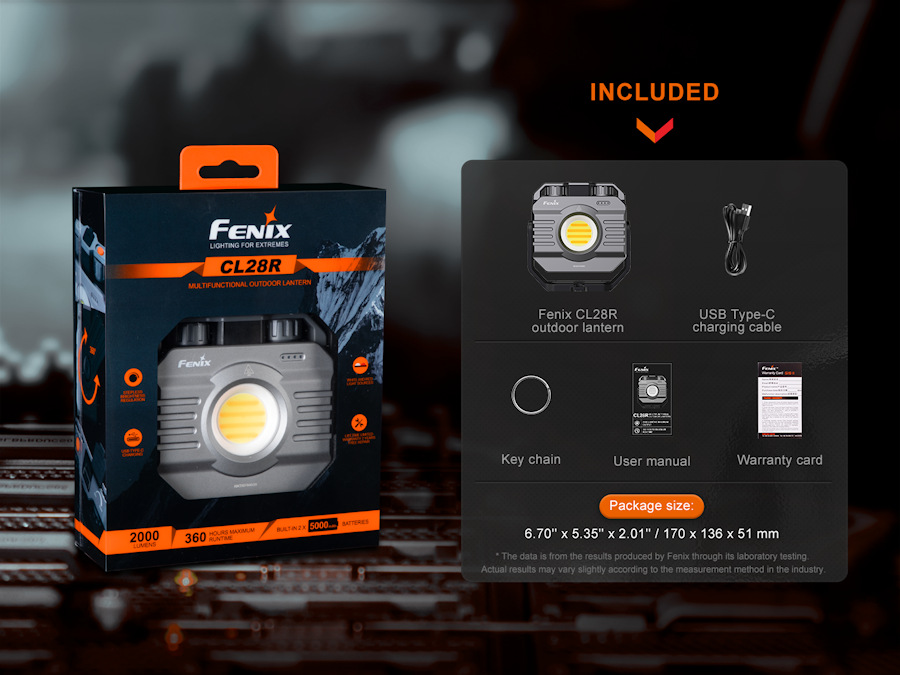
Retail Packaged Fenix CL28R Lantern USB-C charging cable Key ring Warranty card User manual
For commercial orders and large purchases, contact us at 02921157162, or